so-you-think-you-can-code-2025
Multi-Window Synchronization with Broadcast Channel API
This project demonstrates a real-time, cross-context visual simulation. It allows independent browser windows to share a single coordinate space, creating a seamless environment where particles (snowflakes) flow between separate windows and tabs as if they were part of a single physical display
Demo
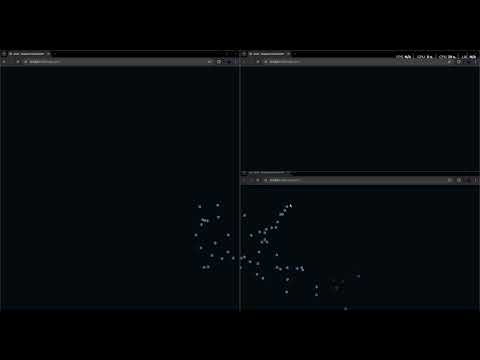 Click the image to watch the synchronization in action.
Project Overview
The application uses an HTML5 Canvas rendering engine combined with the Broadcast Channel API to synchronize state across multiple browsing contexts. By mapping local window coordinates to a global screen-space grid, the script ensures that a particle leaving one window enters another at the exact physical location on the user’s monitor.
Core Functionality
- Global Tracking: Uses
window.screenXandwindow.screenYto calculate a shared coordinate system. - Real-Time Messaging: Synchronizes snowflake positions, velocity, and sway across all open instances.
- Physics Simulation: Implements independent gravity and sine-wave oscillation (sway) for each particle.
The Broadcast Channel API
The Broadcast Channel API is a low-latency, many-to-many communication bus. It allows different browsing contexts (tabs, windows, frames, or workers) that share the same Origin (protocol, domain, and port) to send messages to one another without a backend server or complex signaling logic.
Why it is Powerful
Unlike other communication methods, the Broadcast Channel API is:
- Decentralized: There is no “master” window. Every instance is a peer that can both send and receive data.
- Direct: It does not require a reference to the target window (unlike
window.postMessage), making it ideal for decoupled architectures. - Performant: It operates directly in the browser’s memory, avoiding the overhead of storage-based hacks.
Use Cases
The Broadcast Channel API can be utilized in any of the following contexts:
- Web Workers: Offloading heavy physics or data processing to a background thread and broadcasting the results to multiple UI windows simultaneously.
- Service Workers: Notifying all open instances of an application when an update is available or a background sync has completed.
- Browser Tabs: Synchronizing a shopping cart, theme settings, or login state across all open tabs of a website.
- Detached Windows: Coordinating data between a “Control Panel” window and a “Live Preview” window on a multi-monitor setup.
- Iframes: Seamlessly passing data between a host page and multiple embedded widgets from the same domain.
Architecture: The Loop Prevention Guard
A critical feature of this implementation is the Instance ID system. To prevent Message Feedback Loops—where Window A sends a message, and Window B receives it and accidentally re-broadcasts it—each window generates a unique ID on startup.
Every message includes this ID. When a window receives a message, it checks the ID:
- If the ID matches its own: It ignores the message (preventing an “echo”).
- If the ID is different: It renders the remote particle but does not re-send the message to the channel.
This ensures a stable, one-way flow of information to every peer in the network.
How to run
Download the /src directory with index.html and blizzard.js contained to your local machine or a web server, load up index.html in 2 or more browsers and move your mouse between them
Further reading
https://developer.mozilla.org/en-US/docs/Web/API/Broadcast_Channel_API